Start with your location
Use nearby mode when you want a place close enough for the next work block, study session, or quick change of scenery.

Nearby cafe finder
Open the map, compare work-friendly signals, and choose a cafe that fits your laptop session, coffee taste, and schedule.
A normal map can show coffee nearby. koffiework adds the context remote workers actually need: laptop policy, workspace comfort, coffee quality, outlets, Wi-Fi reports, and community reviews.
Nearby search
Laptop-friendly
Workspace signal
Use nearby mode when you want a place close enough for the next work block, study session, or quick change of scenery.
Look for laptop-friendly signals, workspace scores, outlets, Wi-Fi notes, and opening details before you unpack your bag.
The best work cafe is not only practical. Koffiework keeps coffee quality visible so you can find a desk-away-from-desk with a cup worth ordering.
Nearby intent is practical. The page points people straight into the browse experience while explaining what makes Koffiework different from a generic map.
Nearby mode looks for cafes around you and keeps the focus on places you can actually reach.
Filter for laptops, workspace quality, Wi-Fi, outlets, and coffee quality when those details are available.
Choose a short email stop, a longer focus block, or a cafe to save for later.


Molenstraat 24A, 2513 BK Den Haag, Netherlands
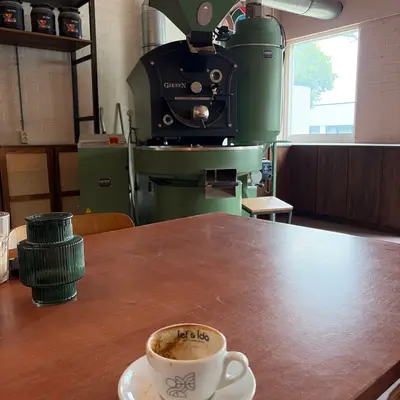
Kerketuinenweg 55, 2544 CV Den Haag, Netherlands
Use the nearby search on Koffiework to open a map of cafes around your current location, then compare community signals like laptop policy, workspace score, coffee quality, outlets, and Wi-Fi notes.
No. Some cafes welcome laptops, some limit them at busy times, and some prefer laptop-free visits. Koffiework makes those signals easier to check before you go.
Yes. Nearby search is useful in your own city and while travelling because it starts from where you are, not from a fixed city guide.
